






Training

Training is an important part of our philosophy.

We will be conducting training events throughout September, October and November 2011. Details of the training modules are below.

Our Mailing List is a great way to stay in touch, we highly recommend you register so you dont miss out on any future events. Click here to sign up for our email communications.

Summary of Scheduled Training - July - October 2012

>> Capture One Extensive Training - 5 x 2 hour sessions (6.30pm to 8.30pm) over 5 weeks - commencing July 2012

>> Capture One 6 - New Features & Refresher Training - 3.5 hours - September 2012

>> Digital Operator Training & Accreditation - Saturday - August 2012

These events will be held at Specular in Collingwood unless otherwise advised

See below for more details. Register now to avoid missing out! Registration is essential.

Lighting with Flash Workshop - with Gary Ede

These classes in Melbourne and Sydney are designed to take the mystery and guess work out of the use of flash.


When: Saturday 23rd June 2012. 10.00am to 4.00pm

Where: Location to be advised

Format: 1 day thorough training on a Saturday

Cost: $350 (includes lunch)

Registration: download the Registration Form (option-click to download)

WORKSHOP OVERVIEW
Learn how to shape flash, meter it, and use its unique properties to create images that are simply not possible with any other light source.

This class will provide the knowledge and confidence required to use flash in the studio and on location.

Flash is unquestionably the most useful artificial light source for photography but through ignorance, fear and misunderstanding many photographers fail to use it to its full potential. Brilliant, instantaneous and with the colour of the sun, flash makes possible many images that could be captured no other way.

COURSE OUTLINE

ABOUT GARY EDE
Gary has spent nearly forty years in the photographic industry as photographer, writer, teacher and consultant. His photographs are held in the collections of the State Library of NSW, the National Library of Australia and the National Portrait Gallery of Australia.

He has shot for many of Australia's major businesses and have completed thousands of editorial assignments for leading publications.

Although best known as a people shooter his work has included advertising, architectural and especially corporate photography.


Registrations are essential.
Please download the Registration Form (option-click to download)

Capture One Pro 6 - Extensive 5 week class (2 hours a week)

A thorough and systematic training program designed for photographers and digital operators to become proficient using Capture One PRO 6. The 2 hour a week format is designed to maximise the effectiveness of the training to ensure retention of the information presented.

Who should attend: Photographers (Phase One, Leaf, Canon & Nikon owners), Digital Operators, Digital Processors & Retouchers.

When: Commencing Wednesday October 12th 2011 for 5 weeks (Wednesday evenings 6.30pm to 8.30pm)

The aim in this module is to take images as far as possible within Capture One PRO 6, and to minimise the need for retouching in Photoshop.

See detailed information below.


Registrations are essential.
Please download the Registration Form (option-click to download)


Digital Operator Training & Accreditation

Aimed at equipping digital operators and Digital Back users with valuable technical information and workflow techniques.

Who should attend: Digital Operators & Photographers (Phase One Leaf, Canon & Nikon owners)

When: Saturday 8th October 2011. 9.00am to 3.00pm

Format: 1 day thorough training on a Saturday

See detailed information below.


Registrations are essential.
Please download the Registration Form (option-click to download)

Capture One 6 - New Features & Refresher Training - 3.5 hours

A comprehensive training program highlighting new features in Capture One PRO 6 and a refresher overview of things possibly forgotten, designed for photographers and digital operators to become more proficient using Capture One PRO 6.

Who should attend: People with experience in Capture One. Photographers, Digital Operators, Digital Processors & Retouchers.

When: Wednesday, November 16th 2011. 6pm - 9.30pm

Format: 1 Evening broken into 3 x 1 hour sessions with breaks in between.

The aim in this training is to provide further information to existing Capture One users.

See detailed information below.


Registrations are essential.
Please download the Registration Form (option-click to download)


Digital Operator Accreditation

Aimed at equipping digital operators and Phase one users with valuable technical information and workflow techniques.

Who should attend: Digital Operators & Photographers (Phase One Leaf, Canon & Nikon owners)

When: Saturday 8th October 2011. 9.00am to 3.00pm

Format: 1 day thorough training on a Saturday

What will be covered?

Camera Information and use of various camera systems

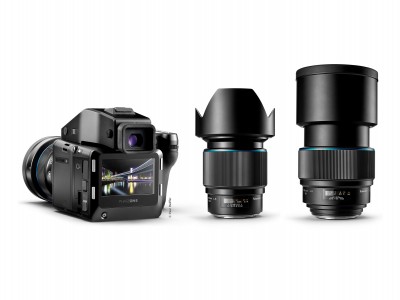
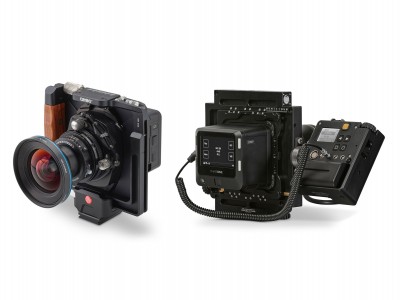
We will be having a hands on interaction with various Phase One Digital backs IQ series and P+ series on a variety of camera platforms including Phase One 645DF and 645AF (Mamiya 645AFD III & DF) camera platform, Hasselblad H, Mamiya RZ67 Pro II, Hasselblad V as well as technical camera systems. Participants will be invited to assemble and use the various systems.

Capture One PRO 6 - Shooting and processing technical overview

This module will be providing an in-depth technical overview of the Capture and Processing areas of Capture One PRO 6. The focus will be about equipping digital operators with the knowledge to support photographers while on a shoot.

Storage & Archiving Techniques

Introduction to effective file management to ensure that your work is always well organised and that you can easily differentiate RAW, intermediate and final image versions for various different output applications.

Accredited Phase One Digital Operators

Attendees will be provided with a certificate of accreditation and are invited to detail their information so that they may be added to a Digital Operator listing on the www.specular.com.au website.

Cost

The cost of the 1 day training will be $275 inc GST

How to register

Registrations are essential. Please download and complete the Registration Form (option-click to download) and e-mail it back via email or fax it to 03 9091 2104

Capture One Pro 6 - Extensive 5 week class (2 hours a week)

A thorough and systematic training program designed for photographers and digital operators to become proficient using Capture One PRO 6. The 2 hour a week format is designed to maximise the effectiveness of the training to ensure retention of the information presented. Each week the goal will be to present information, have the participants practice during the week, and the following week review and ask questions.

Who should attend: Digital Operators, Photographers (Phase One, Leaf, Canon & Nikon owners), Digital Processors & Retouchers.

When: Evening sessions, commencing Wednesday October 12th 2011 for 5 weeks (12th, 19th, 26th October, 2nd & 9th November) (6.30pm to 8.30pm)

Format: Wednesday evenings from 6.30pm for approx 2 hours per week for 5 consecutive weeks

What will be covered?

Capture One 6 Pro - Workflow Overview

We will be providing an in-depth look at workflows within Capture One PRO 6. Key areas covered will include :

The aim in this module is to take images as far as possible within Capture One PRO 6, and to minimise the need for retouching in Photoshop. More details are below.

Presented by: These sessions will be presented by Rory Shinners with some elements presented by Tim Handfield.

Prerequisities

Training will occur on the Macintosh platform. Basic knowledge of Mac OS X, images and photography knowledge required.

Cost

The cost for the 5 sessions will be $350 inc GST

How to register

Registrations are essential. Please download and complete the Registration Form (option-click to download) and e-mail it back via email or fax it to 03 9091 2104

Additional Course Details

Week 1

Week 2

Week 3

Week 4

Week 5

Registrations are essential. Please download and complete the Registration Form (option-click to download) and e-mail it back via email or fax it to 03 9091 2104

Capture One 6 - New Features & Refresher Training - 3.5 hours

Intensive 3.5 hour program

An intensive yet thorough training program designed for photographers and digital operators who currently use (or have used) Capture One to become proficient using Capture One Pro. The 3.5 hour program is designed to equip existing Capture One users with skills, techniques and shortcuts to maximise their productivity within Capture One PRO 6.

Who should attend: Digital Operators, Photographers (Phase One, Leaf, Canon & Nikon owners), Digital Processors & Retouchers.

When: Wednesday, November 16th 2011. 6pm - 9.30pm

Format: 3.5 hour training session

What will be covered?

Capture One PRO 6 - Technical Overview

We will be providing an in-depth technical overview of Capture One PRO 6. Key areas covered will include :

Presented by: These sessions will be presented by Rory Shinners with some elements presented by Tim Handfield.

Prerequisities

Training will occur on the Macintosh platform. Experience using Capture One is essential. A strong knowledge of Mac OS X, images and photography knowledge required. This is not suitable for people who have no knowledge of Capture One.

Cost

The cost for the training will be $198 inc GST

How to register

Registrations are essential. Please download and complete the Registration Form (option-click to download) and e-mail it back via email or fax it to 03 9091 2104

Understanding Colour and RAW Processing

Aimed at equipping those who process RAW files using Capture One PRO 6with an in-depth understanding of how to achieve the best results. The course includes information on Adobe PhotoShop CS5 non-destructive editing techniques.

More details coming soon.